
Sample output below (the model's response to "hi" in the forked llama-cli):
X ( Altern as the from (.. Each. ( the or,./, and, can the Altern for few the as ( (. . ( the You theb,’s, Switch, You entire as other, You can the similar is the, can the You other on, and. Altern. . That, on, and similar, and, similar,, and, or in
1. Clone their forked repo: `git clone https://github.com/PrismML-Eng/llama.cpp.git`
2. Then (assuming you already have xcode build tools installed):
  cd llama.cpp
  cmake -B build -DGGML_METAL=ON
  cmake --build build --config Release -j$(sysctl -n hw.logicalcpu)
./build/bin/llama-server -m ~/Downloads/Bonsai-8B.gguf --port 80 --host 0.0.0.0 --ctx-size 0 --parallel 4 --flash-attn on --no-perf --log-colors on --api-key some_api_key_string
And this is when Im serving zero prompts.. just loaded the model (using llama-server).
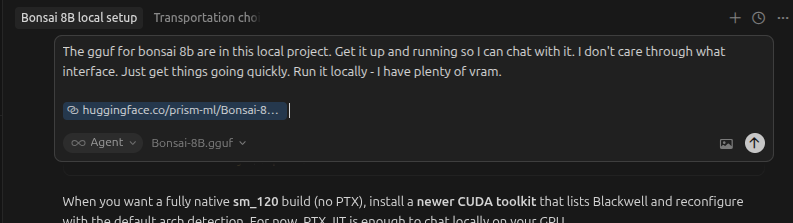
Literally just downloaded the model into a folder, opened cursor in that folder, and told it to get it running.
Prompt: The gguf for bonsai 8b are in this local project. Get it up and running so I can chat with it. I don't care through what interface. Just get things going quickly. Run it locally - I have plenty of vram. https://huggingface.co/prism-ml/Bonsai-8B-gguf/tree/main
I had to ask it to increase the context window size to 64k, but other than that it got it running just fine. After that I just told ngrok the port I was serving it on and voila.